
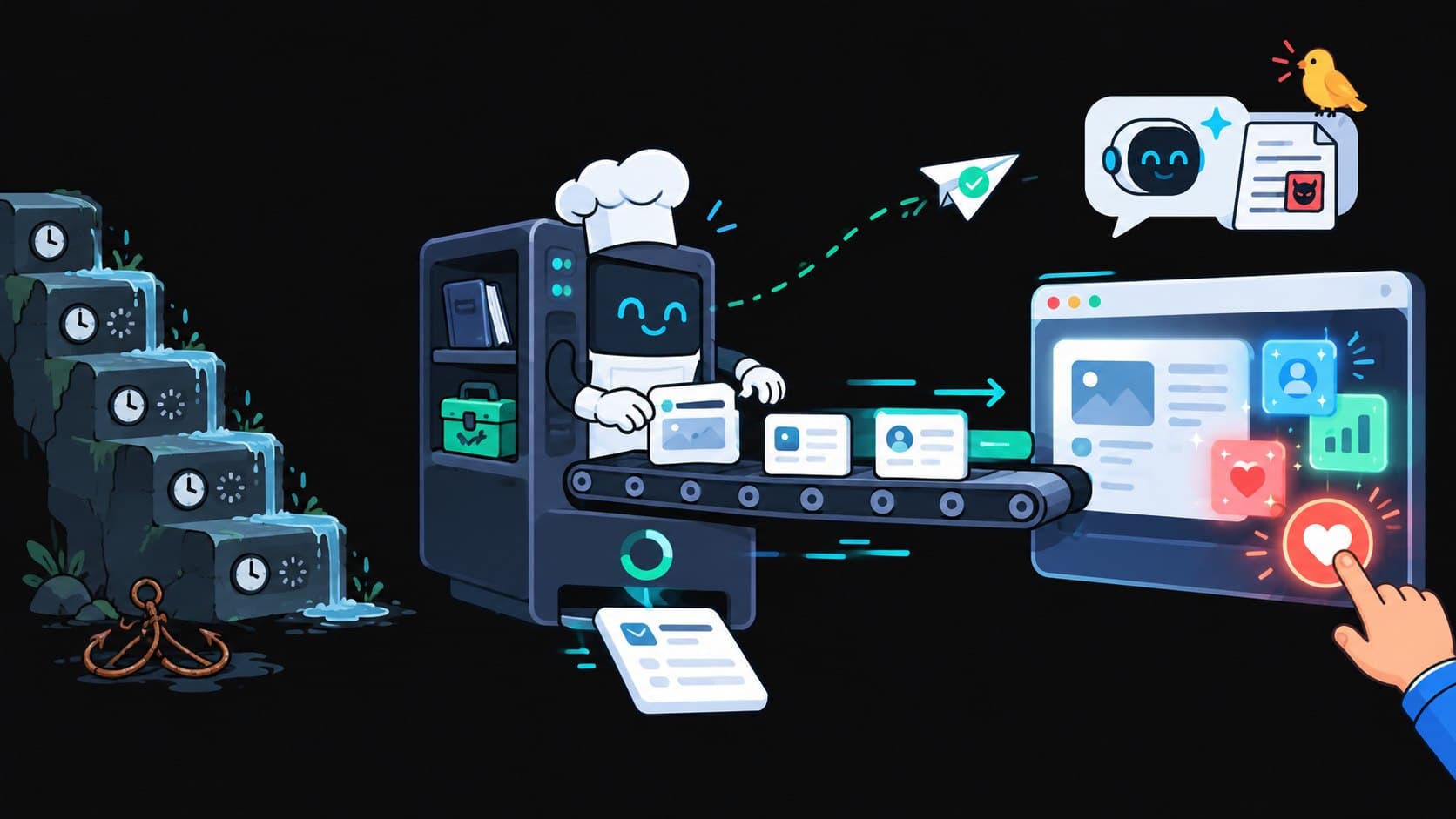
Mastering React 19 Server Components, Actions, and Optimistic UI Patterns
React 19 represents the most fundamental rethinking of component architecture since the introduction of Hooks in 2018. For years, full-stack web applications built on React suffered from a systemic issue: client-server network waterfalls. A page would load, download a hefty JavaScript bundle, hydrate on the client, trigger a useEffect fetch request, wait for the response, and then trigger child components that repeated the exact same cascade.
With React Server Components (RSC), Server Actions, and new hooks like useActionState and useOptimistic, React 19 bridges the gap between database execution and the browser's render tree.
This guide provides an end-to-end masterclass on architecting zero-waterfall applications with React 19 and Next.js.
The Paradigm Shift: Understanding the RSC Wire Protocol
In traditional Client-Side Rendering (CSR) and classic Server-Side Rendering (SSR), React generated HTML on the server and then transferred entire component logic trees in JavaScript bundles to the browser for reconciliation.
In React 19 Server Components:
- Server Components run exclusively on the server: They never download to the client bundle. Large dependencies (e.g., markdown parsers, syntax highlighters, cryptographic libraries) execute on the backend, contributing 0 KB to client bundle size.
- The Output is an RSC Stream: Instead of raw HTML, the server emits a compact, serialized virtual DOM representation known as the RSC Wire Format.
- Seamless Client Interleaving: Client components (
"use client") act as interactive leaf nodes that receive pre-evaluated Server Component props and retain their local state without full page reloads.
[Browser Request]
       │
       ▼
[Next.js Server: Evaluate React Server Components (RSC)]
       ├── Direct DB Query: db.posts.findMany()
       ├── Heavy Server-Only Package: Markdown / Sanitize (0 KB in Client Bundle)
       │
       ▼ Emits Stream of RSC JSON Wire Protocol
[Browser Client Stream Parser]
       ├── Merges RSC virtual DOM nodes directly into existing browser DOM
       └── Hydrates ONLY the interactive Client Component boundaries ("use client")
Eliminating Data Cascades with Parallel Server Fetching
In legacy React applications, nested components fetched sequentially:
// ANTI-PATTERN: The Sequential Fetch Waterfall
function UserProfile({ userId }: { userId: string }) {
  const [user, setUser] = useState(null);

  useEffect(() => {
    fetchUser(userId).then(setUser); // Waterfall hop 1 (300ms)
  }, [userId]);

  if (!user) return <Spinner />;

  // UserDetails triggers ANOTHER useEffect internally: Waterfall hop 2 (+400ms)
  return <UserDetails organizationId={user.orgId} />;
}
The React 19 Server Component Solution:
Server Components are asynchronous by design. They can fetch data directly from databases or microservices in parallel before emitting the initial frame:
// PRODUCTION PATTERN: Co-located Asynchronous Server Components
import { Suspense } from "react";
import { db } from "@/lib/db";
import { OrganizationBadge } from "./organization-badge";
import { UserMetricsSkeleton } from "./user-skeleton";

export async function UserProfilePage({ params }: { params: { id: string } }) {
  // Fetch primary profile data at the top level
  const user = await db.user.findUnique({
    where: { id: params.id },
    select: { id: true, name: true, organizationId: true, role: true },
  });

  if (!user) return <div>User not found</div>;

  return (
    <div className="mx-auto max-w-4xl p-6">
      <header className="flex items-center justify-between border-b pb-4">
        <h1 className="text-2xl font-bold">{user.name}</h1>
        <span className="font-mono text-sm uppercase">{user.role}</span>
      </header>

      {/* Stream independent child section without blocking the primary page */}
      <Suspense fallback={<UserMetricsSkeleton />}>
        <OrganizationDetails orgId={user.organizationId} />
      </Suspense>
    </div>
  );
}

// Child Server Component executing its own isolated query
async function OrganizationDetails({ orgId }: { orgId: string }) {
  const org = await db.organization.findUnique({
    where: { id: orgId },
  });

  return (
    <section className="mt-6 rounded-xl border p-4">
      <h2 className="text-lg font-semibold">{org?.name}</h2>
      <p className="text-sm text-gray-500">{org?.industry}</p>
    </section>
  );
}
Server Actions & Mutation State Management with useActionState
React 19 formalizes form mutations through Server Actions ("use server"). The newly standard useActionState hook replaces boilerplate useState / useEffect code for tracking submission status, error responses, and form state:
Step 1: Define the Server Action
// app/actions/update-profile.ts
"use server";

import { z } from "zod";
import { db } from "@/lib/db";
import { revalidatePath } from "next/cache";

const ProfileSchema = z.object({
  username: z.string().min(3).max(30),
  bio: z.string().max(250),
});

export type ActionState = {
  success: boolean;
  message?: string;
  errors?: Record<string, string[]>;
};

export async function updateProfileAction(
  prevState: ActionState,
  formData: FormData
): Promise<ActionState> {
  // Simulate network delay for verification
  await new Promise((res) => setTimeout(res, 500));

  const rawData = {
    username: formData.get("username"),
    bio: formData.get("bio"),
  };

  const validation = ProfileSchema.safeParse(rawData);

  if (!validation.success) {
    return {
      success: false,
      errors: validation.error.flatten().fieldErrors,
    };
  }

  try {
    await db.user.update({
      where: { id: "current-user-session" },
      data: validation.data,
    });

    revalidatePath("/settings/profile");
    return { success: true, message: "Profile updated successfully." };
  } catch (err) {
    return { success: false, message: "Database update error." };
  }
}
Step 2: Bind the Form with useActionState
// app/components/profile-form.tsx
"use client";

import { useActionState } from "react";
import { updateProfileAction, ActionState } from "@/app/actions/update-profile";

const initialState: ActionState = {
  success: false,
};

export function ProfileForm() {
  const [state, formAction, isPending] = useActionState(
    updateProfileAction,
    initialState
  );

  return (
    <form action={formAction} className="flex max-w-md flex-col gap-4">
      <div>
        <label className="block text-sm font-medium">Username</label>
        <input
          name="username"
          defaultValue="adityakumar"
          className="w-full rounded border px-3 py-2"
          disabled={isPending}
        />
        {state.errors?.username && (
          <p className="mt-1 text-xs text-red-500">
            {state.errors.username[0]}
          </p>
        )}
      </div>

      <div>
        <label className="block text-sm font-medium">Bio</label>
        <textarea
          name="bio"
          defaultValue="Full-stack engineer building high-performance systems."
          className="w-full rounded border px-3 py-2"
          disabled={isPending}
        />
      </div>

      <button
        type="submit"
        disabled={isPending}
        className="rounded bg-emerald-600 px-4 py-2 font-medium text-white hover:bg-emerald-500 disabled:opacity-50"
      >
        {isPending ? "Saving changes..." : "Save Profile"}
      </button>

      {state.message && (
        <p
          className={`text-sm ${
            state.success ? "text-emerald-400" : "text-red-500"
          }`}
        >
          {state.message}
        </p>
      )}
    </form>
  );
}
Instant Feedback with the useOptimistic Hook
Waiting for round-trip server verification before updating the user interface creates noticeable lag. React 19's useOptimistic hook allows you to render the expected outcome immediately, automatically rolling back if the server mutation fails:
"use client";

import { useOptimistic, startTransition } from "react";
import { toggleLikeAction } from "@/app/actions/likes";

interface LikeButtonProps {
  postId: string;
  initialLikes: number;
  initialHasLiked: boolean;
}

export function OptimisticLikeButton({
  postId,
  initialLikes,
  initialHasLiked,
}: LikeButtonProps) {
  const [optimisticState, setOptimisticState] = useOptimistic(
    { count: initialLikes, hasLiked: initialHasLiked },
    (current, update: boolean) => ({
      count: update ? current.count + 1 : current.count - 1,
      hasLiked: update,
    })
  );

  const handleToggle = async () => {
    const nextState = !optimisticState.hasLiked;

    startTransition(async () => {
      // 1. Instantly update UI optimistically
      setOptimisticState(nextState);

      // 2. Perform backend Server Action
      const result = await toggleLikeAction(postId, nextState);
      if (!result.success) {
        // Automatically reverts to original state if an error throws
        console.error("Failed to persist like on server");
      }
    });
  };

  return (
    <button
      onClick={handleToggle}
      className={`flex items-center gap-2 rounded-full px-4 py-1.5 text-sm transition-colors ${
        optimisticState.hasLiked
          ? "border border-red-500/30 bg-red-500/20 text-red-400"
          : "bg-surface-2 text-ink-secondary border-border-hairline border"
      }`}
    >
      <span>♥</span>
      <span className="font-mono font-medium">{optimisticState.count}</span>
    </button>
  );
}
Core Comparison: React 18 Patterns vs. React 19 Primitives
| Feature / Workflow | React 18 Paradigm | React 19 Modern Standard |
|---|---|---|
| Data Fetching | useEffect() + SWR / TanStack Query | Asynchronous Server Components (async/await) |
| Bundle Size Overhead | Heavy markdown/formatters in client JS | Zero client bundle for server-only logic |
| Form Submissions | Custom onSubmit handlers + state flags | Native <form action={serverAction}> |
| Form Pending Status | Manual const [loading, setLoading] | useActionState and useFormStatus |
| Optimistic Updates | Manual cache rolling & rollback queues | useOptimistic hook with built-in rollback |
Frequently Asked Questions (FAQ)
Can I use React Server Components without Next.js?
Yes. While Next.js App Router is the most popular framework integrating RSC, other frameworks such as Remix/React Router v7, Waku, and Expo for React Native support or are standardizing on the RSC wire specification.
Does useOptimistic work if the user loses network connection?
If the underlying Server Action fails or throws an exception, React catches the rejection in startTransition and instantly reconciles the component back to the actual verified server state.
How do Server Actions protect against Cross-Site Request Forgery (CSRF)?
Next.js Server Actions automatically verify Origin and Host header parity and implement cryptographic action action ID tokens, rendering them resilient against typical CSRF attack vectors.
Summary
React 19 moves web development away from client-heavy orchestration toward an integrated full-stack mental model:
- Write Server Components by default to protect bundle size and query databases directly.
- Wrap dynamic islands in
"use client"only when interactive browser events or hooks are required. - Use Server Actions with
useActionStateanduseOptimisticto achieve instant UI responsiveness without manual state synchronization.